Guides / Technology Explained
Refresh rate explained: why some LED screens flicker on camera
7 min read · Updated October 2026
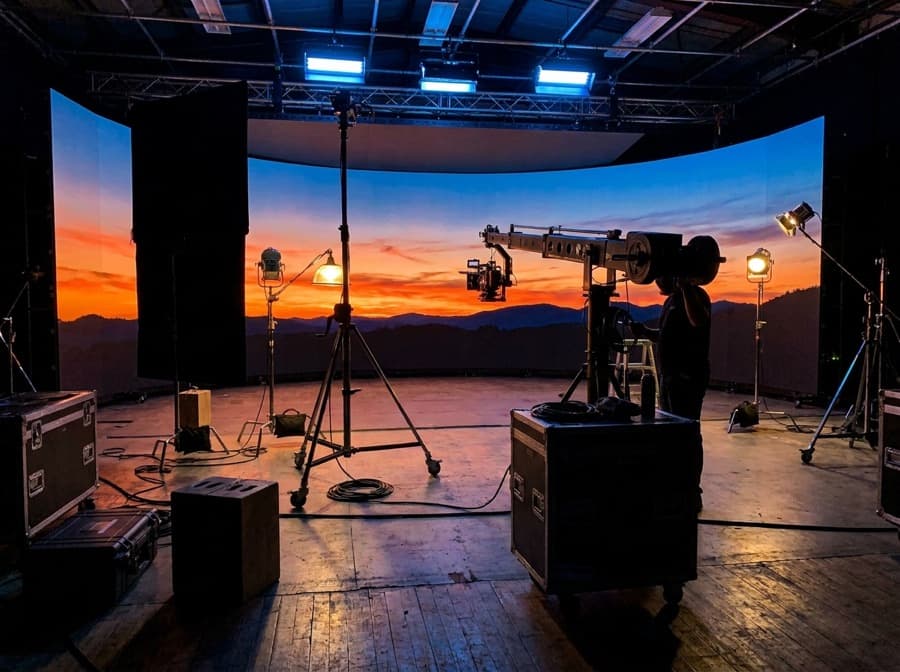
An LED screen flickers on camera because its LEDs are switched on and off many times a second to create brightness levels, and a camera’s shutter can catch that switching even when the eye cannot. The refresh rate is how many times per second that cycle repeats. Specify at least 3,840 Hz for any screen that will be filmed, photographed or streamed — a stage, studio, conference or event — and test it with a phone camera before you accept the screen.
What is refresh rate on an LED display?
Refresh rate is how many times per second the driver ICs redraw the image on the LEDs, measured in hertz. It is a different number from the frame rate of your video content, which is usually 25, 30, 50 or 60 frames per second; the screen redraws each content frame many times over.
LEDs make lower brightness by pulsing — switching fully on and off very quickly, a technique called pulse-width modulation. The eye averages the pulses into a steady image. A camera, which samples light over a short shutter interval, may not average them, and records the gaps as dark bands, rolling lines or a shimmer across the screen.
Common figures on spec sheets are 1,920 Hz, 3,840 Hz and 7,680 Hz. The higher the number, the more evenly the light is spread across each instant, and the less likely a camera is to catch an off-period.
Why does a screen look perfect in person but flicker on a phone?
Because your eyes and a camera sensor see time differently. Human vision integrates light over a relatively long window, so pulsing above a few hundred hertz is invisible; a phone or broadcast camera at a fast shutter speed captures a slice of a thousandth of a second or less, which is short enough to land between pulses.
Phone cameras make this worse because most use a rolling shutter, reading the sensor line by line from top to bottom. Each line samples the screen at a slightly different instant, so a low refresh rate turns into horizontal stripes that roll up or down the picture.
This matters in Nepal more than many buyers expect. At a wedding, a corporate launch, a college function or a concert, a large share of the audience experiences the screen through phone videos and live streams. A screen that bands on camera looks faulty to everyone who watches later, even if it looked fine in the room.
What refresh rate should you specify?
Specify 3,840 Hz or higher for any screen that will ever be filmed, photographed professionally or streamed; that covers stages, studios, event rental, conference halls, churches and temples that stream, and most corporate spaces. For broadcast and virtual production, 7,680 Hz gives more margin with professional cameras at high shutter speeds.
A 1,920 Hz screen can be acceptable for a fixed outdoor billboard viewed from a moving vehicle or a shop sign nobody films deliberately. It is, however, a false saving for most indoor work, because the use of a screen tends to widen after it is installed, and a hall that never planned to stream often starts to.
Refresh rate is not something you can upgrade later in software in any meaningful way. It depends on the driver ICs on the modules, which are fixed at manufacture, so it has to be right in the specification.
Is the quoted refresh rate always the real one?
Not always — the refresh rate a screen achieves depends on the driver ICs, the receiving cards and the processing settings together, and a high headline figure may only hold at certain brightness levels or modes. Some screens reach their quoted figure only at full brightness and fall back when dimmed, which is exactly when an indoor event screen runs.
There is also a trade-off with grayscale. Pushing refresh higher reduces the time available for each brightness step, and lower-grade driver ICs compensate by sacrificing smoothness in dark tones. Good modules hold high refresh and high grayscale together; that is part of what you pay for in better driver ICs.
Ask the supplier which driver IC the modules use and whether the stated refresh rate holds at the brightness you will actually run. A clear answer is a good sign; a vague one is a reason to test.
How do you test for camera flicker?
Point a phone camera at the screen, switch to video and, if the phone allows it, try a fast shutter or slow-motion mode; then repeat with the screen dimmed to the brightness you expect to use. Look for horizontal bands, rolling lines or a pulsing shimmer, especially on mid-grey and dark content.
Test with content that resembles your real use. A bright, saturated demo loop hides problems that show on a dark slide deck, a skin tone in a speaker close-up or a slow gradient in a brand video. Mid-grey and dark backgrounds are the hardest test, so include them.
For broadcast or studio projects, test with the actual camera and shutter settings the production will use. Camera settings matter too: matching the shutter to the mains frequency and to the content frame rate reduces artefacts, and our team can help camera operators set up on the day.
What else causes LED screens to look wrong on camera?
Refresh rate causes banding, but moiré — a rippling pattern of coloured waves — is a different problem caused by the camera’s sensor grid interfering with the screen’s pixel grid. It is reduced by finer pixel pitch, by moving the camera or changing focus slightly so the screen is just out of perfect focus, and by changing the camera’s angle to the screen.
Scan ratio also plays a part. Modules that drive many rows from one set of driver outputs, known as high scan ratios, give each LED a smaller share of time, which can make flicker on camera more likely at the same headline refresh figure. Outdoor modules often use lower scan ratios for brightness, indoor fine-pitch modules higher ones.
Finally, poor colour calibration shows up more clearly on camera than to the eye, because cameras exaggerate differences between neighbouring panels. A filmed screen should be calibrated as one surface. If your screen will be on camera, tell us at the survey stage; it changes the modules, processing and calibration we specify.
The short version
- Refresh rate is how often the screen redraws each frame, and it is separate from content frame rate.
- Cameras catch LED pulsing that the eye cannot see, producing bands and rolling lines.
- Specify at least 3,840 Hz for any screen that will be filmed, streamed or photographed.
- Refresh rate depends on driver ICs fixed at manufacture; it cannot be meaningfully upgraded later.
- Test with a phone camera at the brightness and on the dark content you will actually use.
- Moiré is a separate pixel-grid problem reduced by finer pitch, angle and focus.
Common questions
Why does my LED screen show lines when I record it on my phone?
The screen’s LEDs pulse on and off to create brightness, and a phone’s rolling shutter captures those pulses as horizontal lines. A low refresh rate makes this much more visible. Screens at 3,840 Hz or above rarely show lines in normal phone video.
Is 1,920 Hz refresh rate good enough for an LED screen?
It is acceptable for an outdoor billboard or sign that nobody films deliberately. For stages, events, halls, studios and any space that streams, 1,920 Hz often bands on camera. Specify 3,840 Hz or higher for those uses.
What refresh rate do I need for a wedding or event LED screen in Nepal?
Use at least 3,840 Hz. Guests record on phones and many events are streamed, so a lower refresh rate shows bands in almost every video shared afterwards. Ask the rental company to confirm the figure for the panels they will supply.
Can refresh rate be increased with a software update?
Not meaningfully. Refresh rate depends mainly on the driver ICs on each module, which are fixed when the module is made. Processing settings can change it within limits, often at the expense of grayscale smoothness.
What is the difference between refresh rate and frame rate?
Frame rate is how many new images per second your video contains, usually 25 to 60. Refresh rate is how many times per second the screen redraws each image, typically in the thousands. A high refresh rate keeps each frame steady on camera.
Where to go next
More in Technology Explained
Want this applied to your site?
We survey the site free, then spec the pitch, brightness and structure around what it actually needs.
Book a site survey