Guides / Control, Content & Software
LED video processors and scaling: when you need one
6 min read · Updated November 2026
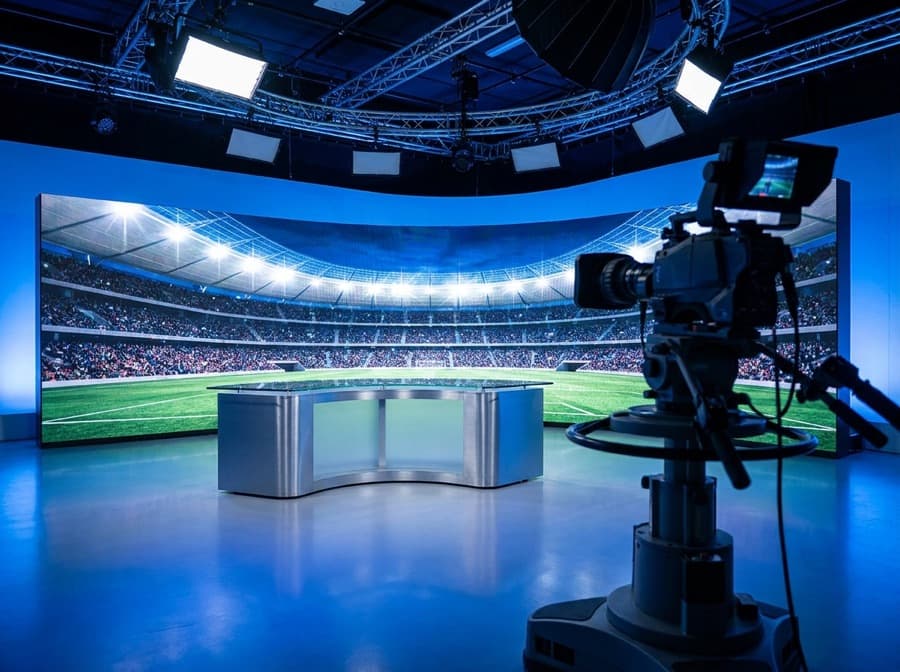
You need an LED video processor when the source does not match the wall — a different resolution or aspect ratio — or when you must switch between several sources, show more than one at once, or keep the picture in step with cameras. If a single PC or player always outputs exactly the wall’s native resolution, a basic sending device is enough. Most boardrooms, halls, stages and studios fall into the first group.
What is an LED video processor?
An LED video processor is the device between your sources and the LED sending stage that resizes, positions, switches and combines video so it fits the wall correctly. Think of it as the picture manager; the sending card is the delivery service.
LED walls rarely have standard resolutions. A 4 × 2 m wall at P2.5 is 1,600 × 800 pixels, a 6 × 2.5 m wall at P2.5 is 2,400 × 1,000, and neither is 1920 × 1080. A processor takes a standard laptop or camera signal and scales it to the wall’s real pixel grid without stretching, cropping or blurring more than necessary.
Many modern units — NovaStar’s all-in-one video controllers, for example — combine processing and sending in one chassis. Larger or more demanding installations use a separate processor feeding one or more sending devices.
Why does scaling matter so much?
Scaling matters because a picture sent at the wrong resolution is either cropped, distorted or softened, and on an LED wall those faults are obvious at viewing distance. Good scaling makes every source look as if it was made for the wall.
Without a processor, the PC’s output has to be set to the wall’s exact resolution, which is fine for a fixed signage player but awkward when guests plug in their own laptops. A visiting presenter’s 16:9 slides on a 2:1 wall will either be pillar-boxed or stretched unless something decides how to fit them.
Quality differs between processors. Better scalers handle text edges, motion and colour more cleanly, which matters most on fine-pitch indoor walls viewed from a few metres. On a coarse outdoor billboard viewed from across a junction, a basic scaler is usually sufficient. Content made at the wall’s native resolution avoids scaling entirely.
When do you need switching and multi-window layouts?
You need switching when more than one source will feed the wall, and multi-window when you want several sources visible together. Both are routine in boardrooms, control rooms, auditoriums and events.
Seamless switching cuts cleanly from one input to another without the wall flashing black or showing a “no signal” message — important at events, where a glitch in front of an audience is remembered. Presets let an operator recall a whole layout, such as presenter’s slides on the left and a video call on the right, with one button.
Control rooms use multi-window most heavily, showing camera feeds, dashboards and maps side by side. The processor’s number of layers — how many windows it can show at once — and its input count are the specifications to check there.
What about latency and cameras?
Where the wall is filmed or must keep pace with live action, choose a processor with low latency and, in studios, genlock to synchronise with the cameras. Every processing stage adds a small delay, and too much shows as lip-sync error or a lag between a presenter’s gesture and the screen.
For broadcast and virtual production, the processor and the LED system together must also support high refresh rates — at least 3,840 Hz — so cameras do not record banding. Our guide to refresh rate and camera flicker covers this in more depth.
For a hotel ballroom or a conference stage where the image is also filmed for social media, a mid-range processor with low-latency settings is usually enough. Dedicated studios need a processor chosen with the camera system in mind.
When is a basic controller enough?
A basic sending device without a separate processor is enough when one known source always outputs the wall’s exact resolution. That covers most digital billboards, shopfront screens, notice boards and menu displays.
In these cases content is prepared to the wall’s size, loaded onto a player and scheduled. There is nothing to scale and nobody plugging in a laptop. Adding a processor would add cost and one more device to fail without improving the picture.
The grey area is the small venue that occasionally needs a laptop input. Many multimedia players accept an HDMI input and scale it adequately, which is often the economical middle ground for a restaurant or a school hall.
How to specify a processor for a project in Nepal
Specify the processor from a list of sources, the wall’s native resolution, the layouts you need and whether the wall will be filmed. Those four facts select the model; brand features come after.
Practical points matter here. The processor should sit on a UPS so that a load-shedding switchover does not reboot it mid-event, and its presets should be saved and documented so a staff member can recover a layout without calling an engineer. For rental and touring use, choose a processor that tolerates frequent transport and quick setup.
We size and configure the processor as part of every system we install, so the wall, controller and processor are commissioned together. If you are unsure whether you need one, describe your sources and we will tell you honestly.
The short version
- A video processor scales, positions, switches and combines sources to fit the wall.
- LED walls rarely have standard resolutions, so most live sources need scaling.
- Multi-window layouts and seamless switching are what boardrooms, control rooms and events use processors for.
- Filmed walls need low latency, high refresh and, in studios, genlock.
- A fixed player outputting native resolution needs no separate processor.
- Put the processor on a UPS and save its presets.
Common questions
Do I need a video processor for my LED screen?
You need one if sources do not match the wall’s resolution, if you switch between several sources, or if you want several pictures on screen at once. A billboard or menu board playing content made at native resolution from one player usually does not need a separate processor.
What is the difference between an LED controller and a video processor?
The controller or sending card converts video into LED data for the cabinets. The video processor sits before it and resizes, switches and combines sources. Many all-in-one units now do both jobs in one box.
Why does my laptop look stretched on the LED wall?
The laptop is sending a standard resolution, such as 1920 × 1080, to a wall with a different shape, and nothing is fitting it properly. A video processor or correct scaling settings will fit it without distortion, or content can be made at the wall’s native resolution.
Can an LED video processor show several inputs at once?
Yes. Most processors support multiple windows or layers, so a presentation, a camera feed and a video call can appear together. The number of windows and inputs depends on the model.
What video processor is needed for a broadcast LED wall?
A broadcast or studio wall needs a processor with low latency, support for high refresh rates and, ideally, genlock so the wall stays synchronised with the cameras. Inputs such as SDI may also be required.
Where to go next
More in Control, Content & Software
Want this applied to your site?
We survey the site free, then spec the pitch, brightness and structure around what it actually needs.
Book a site survey