Guides / Control, Content & Software
Choosing a NovaStar controller for your LED wall
7 min read · Updated November 2026
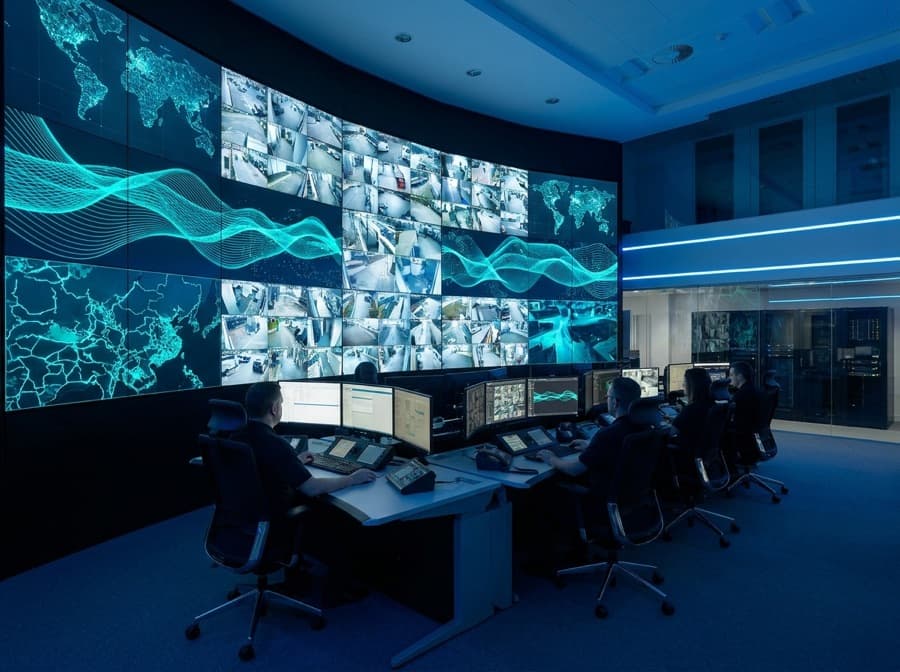
The right NovaStar controller is the one whose pixel capacity covers your wall, whose inputs match your sources, and whose operating mode — live (synchronous) or player-based (asynchronous) — matches how the screen is used. A boardroom wall fed from laptops needs a different controller from a roadside billboard running a schedule from the cloud. Choose on those three questions first; features such as scaling, redundancy and 4K inputs follow from them.
What does an LED controller actually do?
An LED controller takes a video signal or stored content and converts it into the data format that the LED cabinets understand, then sends it to them over network cables. Without it, an LED wall is a set of modules with no picture.
In the NovaStar ecosystem this job is split between a sending device — a sending card, an independent controller, an all-in-one video controller or a multimedia player — and the receiving cards inside each cabinet. The sending side maps the picture onto the wall, handles brightness and colour settings, and in more capable units scales and switches between sources.
Because the controller sits between every source and the screen, it decides what you can connect, how the picture is fitted to the wall and how the screen is managed day to day. It is a small line in the budget with a large effect on usability.
Synchronous or asynchronous: which mode do you need?
Choose synchronous control if the screen shows a live source in real time, and asynchronous control if it plays stored content on a schedule. This is the first fork in the decision and it rules out half the range immediately.
Synchronous controllers — the sending boxes and all-in-one video controllers — display whatever their input carries: a laptop, a camera, a media server, a broadcast feed. They suit boardrooms, control rooms, stages and broadcast studios, where the content is live or presenter-driven.
Asynchronous controllers, NovaStar’s Taurus multimedia players among them, store content locally and play it to a schedule even if the network drops. They suit billboards, shopfronts, school notice boards and multi-branch networks, and are usually managed through cloud software such as VNNOX. Many players can also accept a live HDMI input when needed, which suits venues that mostly run a playlist but occasionally show a presentation.
How do you size a controller to the wall?
Add up the wall’s total pixel count and choose a controller whose load capacity comfortably exceeds it, including the width and height limits. Exceeding either limit means part of the wall shows nothing, regardless of how fast the controller is.
Pixel count follows from size and pitch. A 4 × 2 m wall at P2.5 is 1,600 × 800 pixels; the same size at P1.5 is roughly 2,667 × 1,333, nearly three times the load. Each Ethernet output port also has a fixed capacity — around 650,000 pixels for a standard gigabit port at 60 Hz — so the number of ports matters as much as the headline total.
Leave headroom. Walls are often extended later, and a controller running at its limit leaves no room for a backup loop or a higher frame rate. Our wall sizer helps you work out the pixel count before you talk to anyone.
Which inputs and processing features matter?
List every source that will ever feed the screen and make sure the controller accepts them without adapters. HDMI covers most laptops and players; DVI appears on older equipment; SDI matters for broadcast cameras and studios; 4K inputs matter when the source is 4K and the wall is large enough to show it.
Scaling is the next question. If the source resolution differs from the wall’s native resolution — a 1920 × 1080 laptop on a 1,600 × 800 wall, for example — something must resize the picture cleanly. All-in-one video controllers include scaling and multi-window layouts; basic sending cards do not, and rely on the PC to output exactly the right resolution.
For anything filmed, check that the controller and receiving cards support high refresh settings; a refresh rate of at least 3,840 Hz is what keeps cameras from recording banding. Low latency and genlock matter in studios, where the screen must stay in step with cameras.
How should a Nepal installation influence the choice?
Plan for power interruptions, patchy connectivity and service distance, because these shape what works reliably here. A player-based controller that keeps playing its stored schedule through an internet outage is worth more in Nepal than a cloud-only arrangement that freezes when the link drops.
Voltage swings and sudden shutdowns are hard on electronics. Controllers should sit on a UPS with clean power, and settings should be backed up so a replacement unit can be loaded in minutes. For outdoor screens, an ambient light sensor and scheduled on/off times reduce power draw and extend life during load management.
Do you need a redundant controller?
Use controller redundancy when a blank screen has real consequences — control rooms, broadcast, live events and high-value advertising sites. For a café menu board, a held spare and a short response time are usually enough.
NovaStar systems support backup arrangements in which a second controller or second output port takes over if the first fails, and cabinets can be cabled in a loop so a single broken cable does not black out the cabinets beyond it. These add cost and cabling but remove single points of failure.
How we specify controllers on our projects
We select the controller after the site survey, once the wall size, pitch, sources and operating pattern are known, and include it in the quote as part of a complete system rather than as an optional extra. All configuration, mapping and commissioning is done by our own engineers.
For the corporate control room that became Nepal’s first COB LED installation — a 4 × 2 m P1.5 wall at 600 nits and 3,840 Hz — the controller choice was driven by pixel load and live inputs. For outdoor screens such as a ward information board, a player with scheduling and remote management is the better fit. If you would like to compare options for your own wall, ask us for a site survey.
The short version
- Synchronous controllers show live sources; asynchronous players run stored content on a schedule.
- Size the controller to the wall’s total pixels and its width and height limits, with headroom.
- Each gigabit output port has a fixed pixel capacity, so port count matters as much as the total.
- Scaling and multi-window features belong to video controllers, not basic sending cards.
- In Nepal, a player that keeps running through internet outages beats a cloud-only setup.
- Standardising controller models across sites simplifies spares and support.
Common questions
Which NovaStar controller do I need for my LED screen?
It depends on the wall’s total pixel count, the sources you will connect and whether the screen shows live content or a stored schedule. Live sources need a synchronous sending box or video controller; scheduled content suits an asynchronous multimedia player. Work out the pixel count first, then choose a model with capacity to spare.
What is the difference between a NovaStar sending card and a Taurus player?
A sending card or sending box outputs whatever its video input carries, in real time. A Taurus multimedia player stores content and plays it to a schedule, keeps working without a live connection, and is usually managed through cloud software such as VNNOX.
Can I control a NovaStar LED screen from my phone?
Yes, with an asynchronous player and NovaStar’s management apps or cloud platform you can upload content and change schedules from a phone or laptop. Synchronous setups are controlled by whatever device feeds the input, such as a PC or media server.
Do I need a video processor as well as a NovaStar controller?
Only if you need scaling, switching between several sources or multi-window layouts that your controller does not provide. Many all-in-one video controllers combine processing and sending in one box, which is enough for most boardrooms and halls.
Where can I buy a NovaStar controller in Nepal?
Evolve Tech supplies NovaStar controllers and video processors in Kathmandu, and we include the right controller in every LED display we install. For a new wall, we recommend specifying the controller as part of the system after a site survey.
Where to go next
Want this applied to your site?
We survey the site free, then spec the pitch, brightness and structure around what it actually needs.
Book a site survey